Project Overview
01
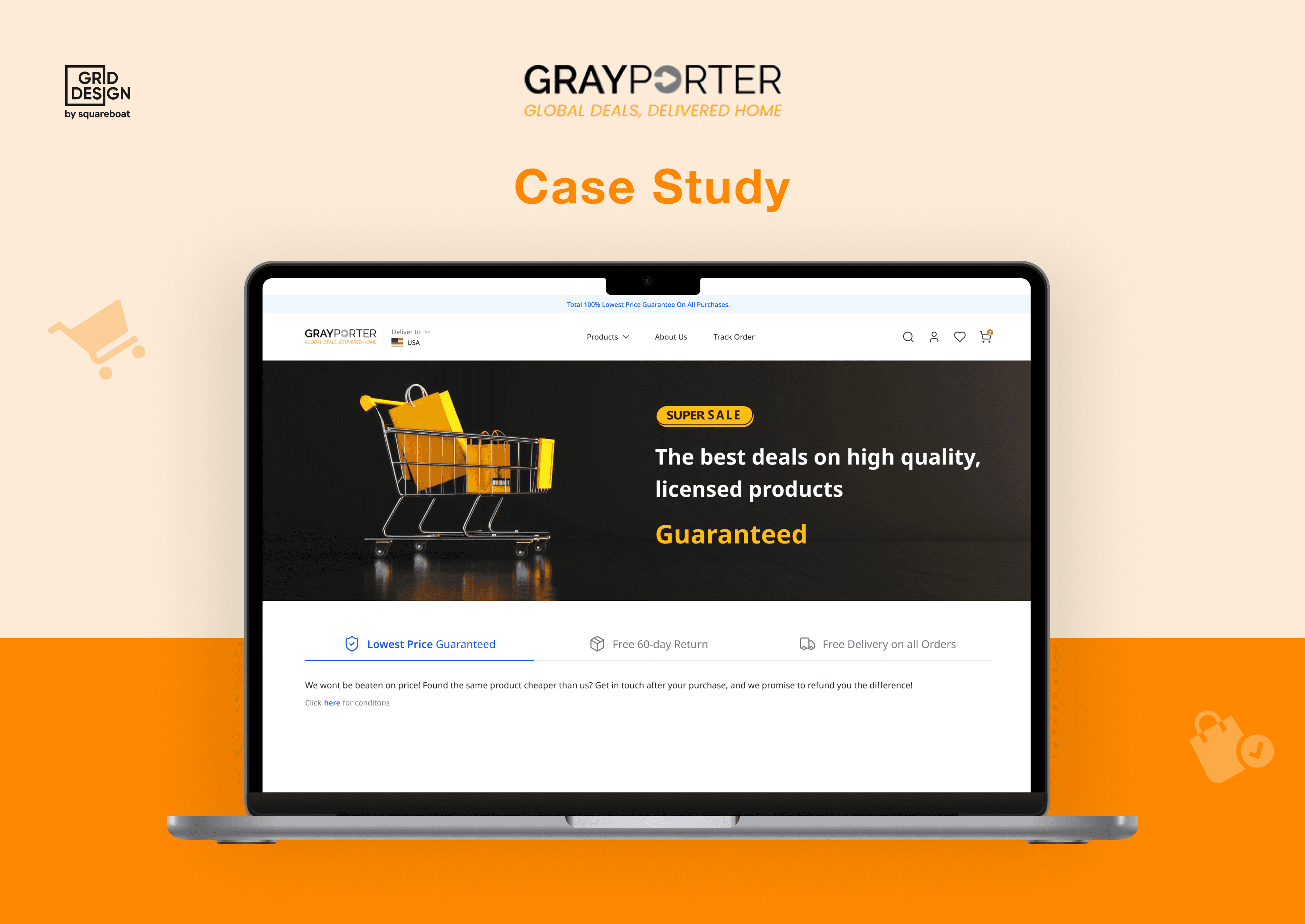
GrayPorter is an online retailer based in London, offering electronics and home goods like laptops, cameras and appliances at competitive prices.



The opportunity

Process
02
Step 1
Step 2
Step 3
Step 4
target audience
03
Online Shoppers
Looking for a convenient and fast shopping experience.
Small Business Owners:
Seeking a platform to sell their products easily.
Busy Professionals
Need a quick, flexible shopping experience.

User Personas
04
A user persona is used to represent a typical user based on real data and research. It helps teams understand user needs, behaviors, and pain points. This ensures that products and experiences are designed with the right audience in mind.
User name

Kanika
30 | Brand Strategy Manager, London
About
A busy marketing professional, shops online for electronic gadgets, valuing speed and convenience. She prefers mobile-friendly sites with quick checkout.
Pain Points
No clear explanation of specs or missing warranty details.
Shipping fee, tax, or installation cost hidden initially and adds up in checkout
Page filled with banners or un-skippable pop-ups blocks focus.
Fake or irrelevant reviews feels as bot-like feedback lowers trust.
Goals & Motivation
Find and purchase high-quality electronic products at a competitive price.
Get quick delivery with a safety net in case the product doesn’t match expectations.
Prefers fast, frictionless buying, not hours of scrolling and hunting.
Needs
Trust signals: Ratings, warranty, return policy, free delivery badge.
Comparison tables: To differentiate similar models and features.
Detailed tech specs, especially around battery life, compatibility, and build quality.
Time Conscious Buyer
Trust Seeking Shopper
Value Oriented
Security conscious
Brain Storming & Ideation
05
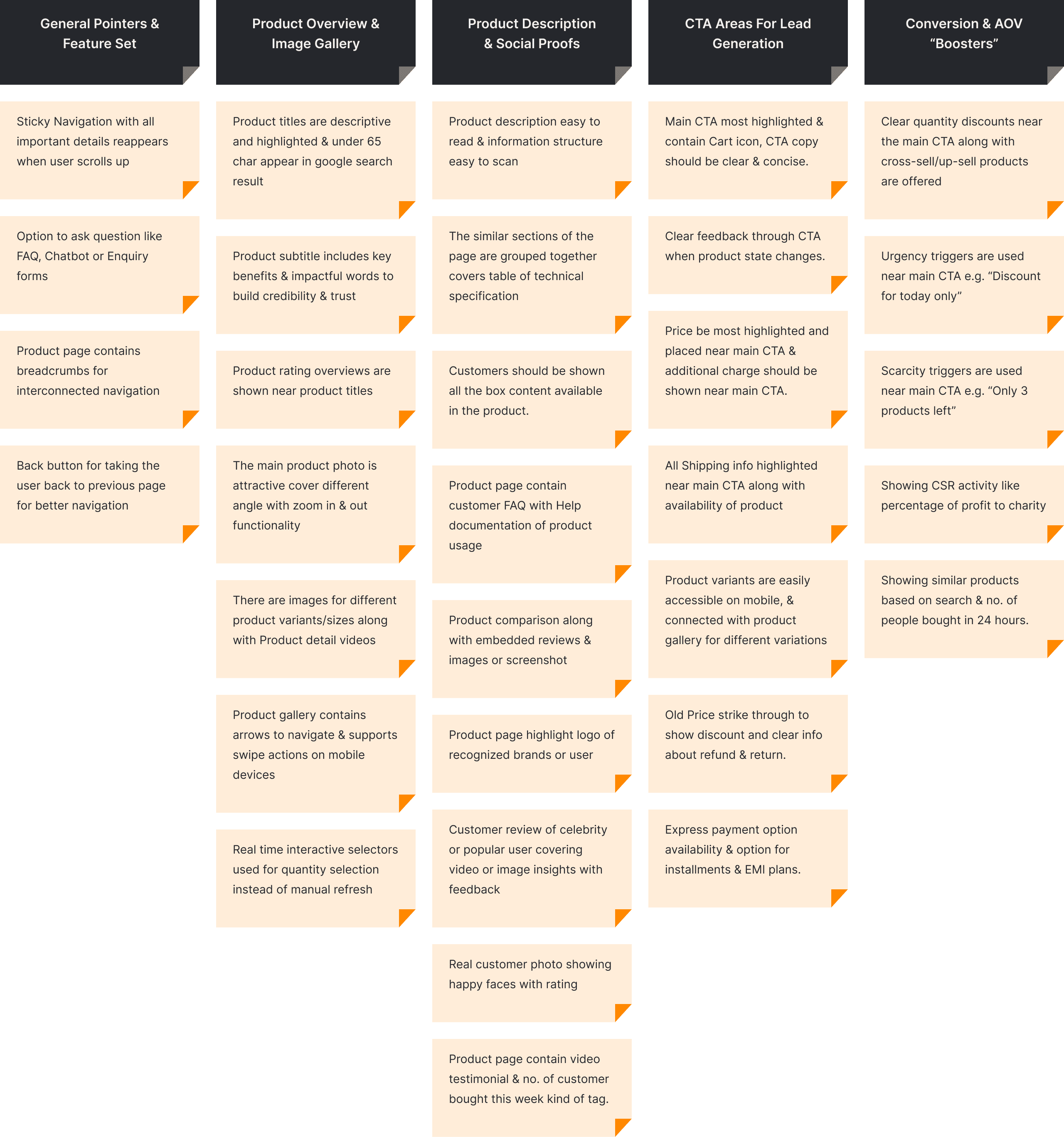
We conducted collaborative brainstorming sessions to generate feature ideas based on user needs and business goals. Concepts were grouped into categories like core functionality, engagement, productivity, and scalability. This structure helped us prioritize what mattered most for the design phase.
User Flows
06
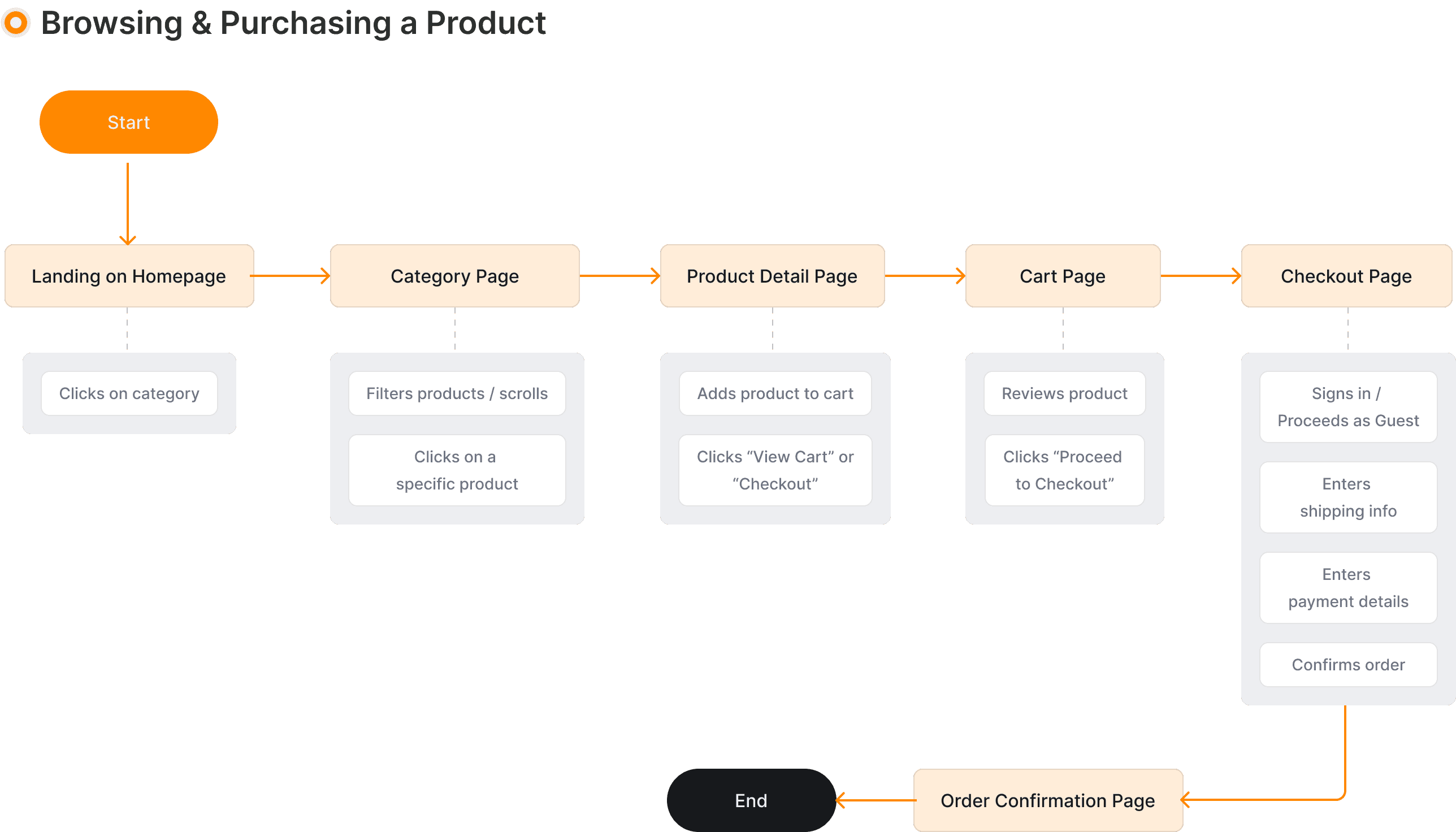
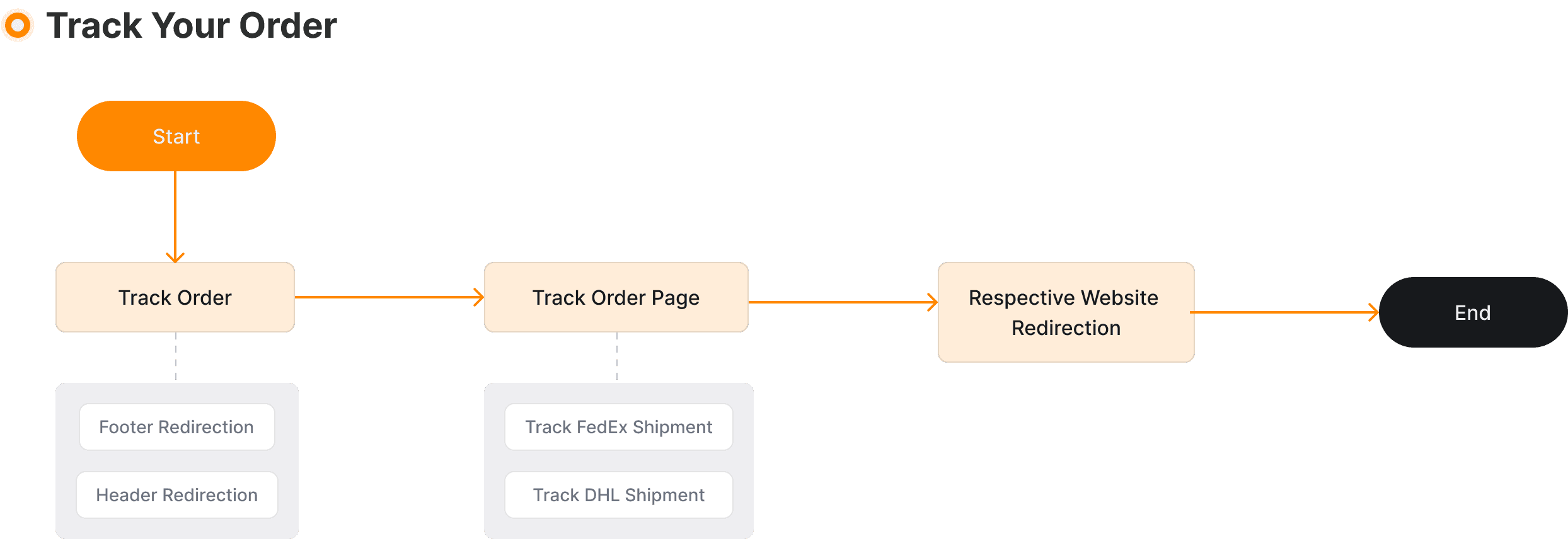
The User Flow Diagram is made to visualize how users navigate from browsing to purchase. It helps identify friction points and optimize the experience for smoother conversions.
07
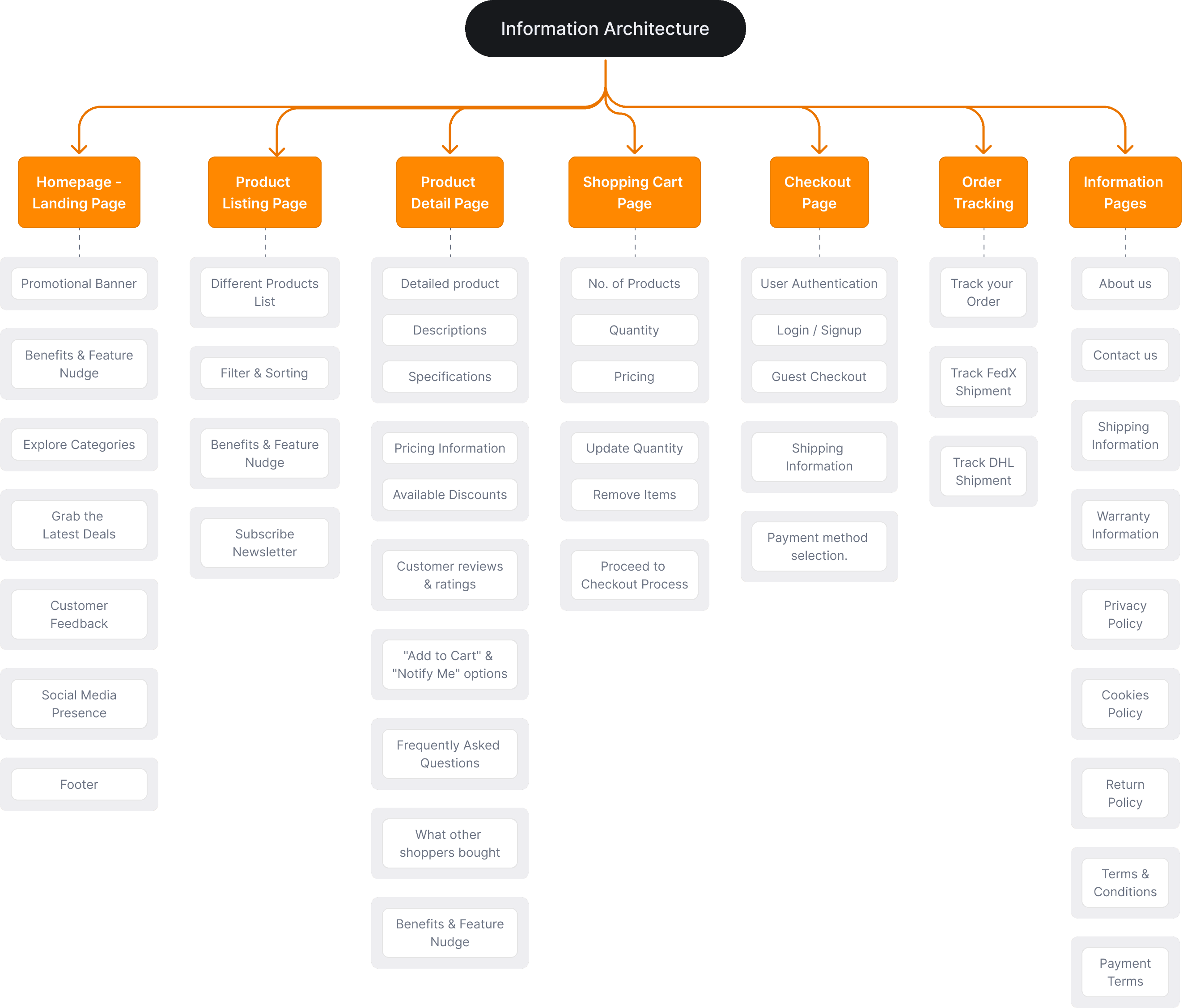
To ensure seamless navigation, we crafted a clear information architecture that logically grouped content and prioritized user tasks based on behavioral insights. It was designed to reduce cognitive load, allowing users to find relevant content quickly through an intuitive hierarchy and structured flow.
Style Guide
06
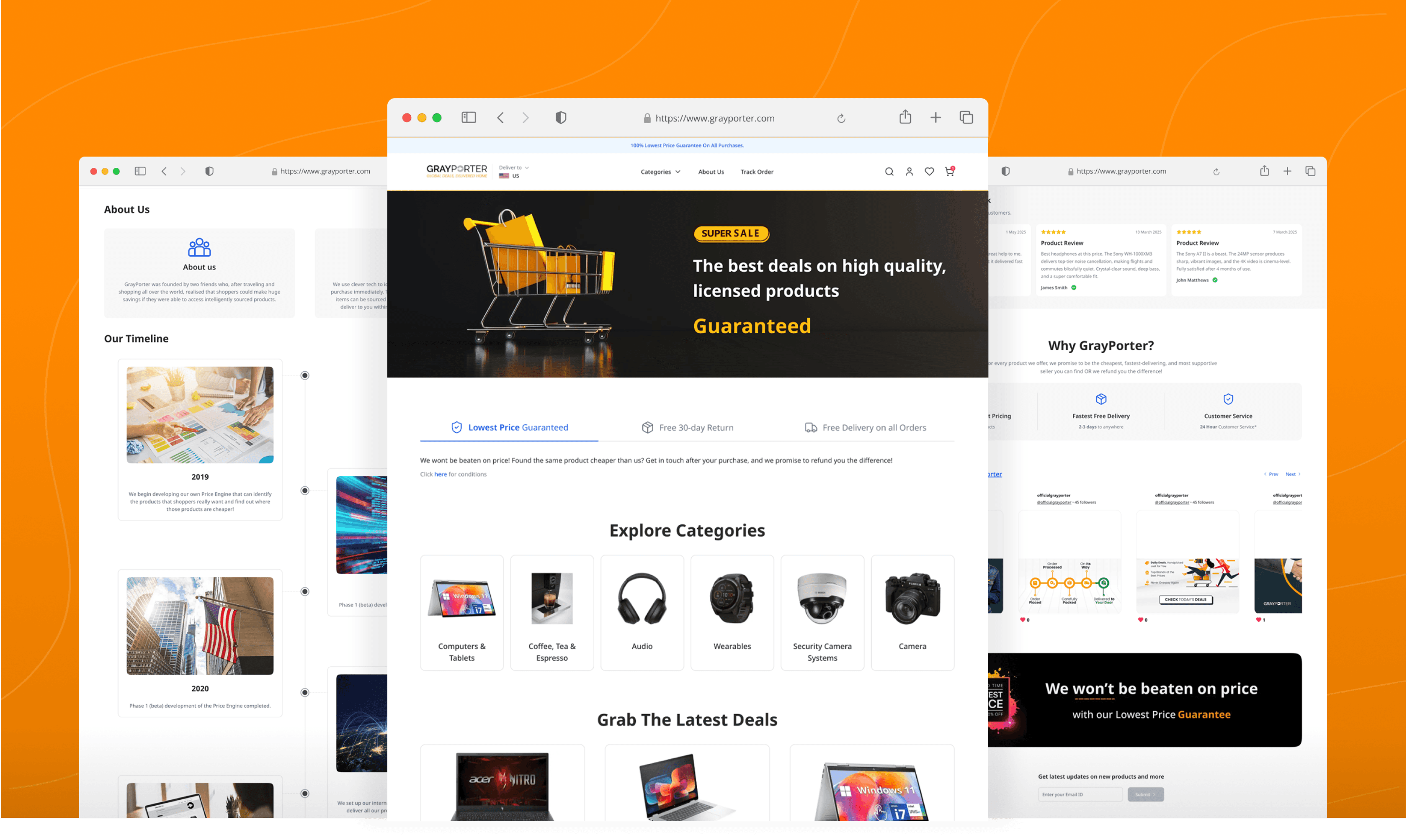
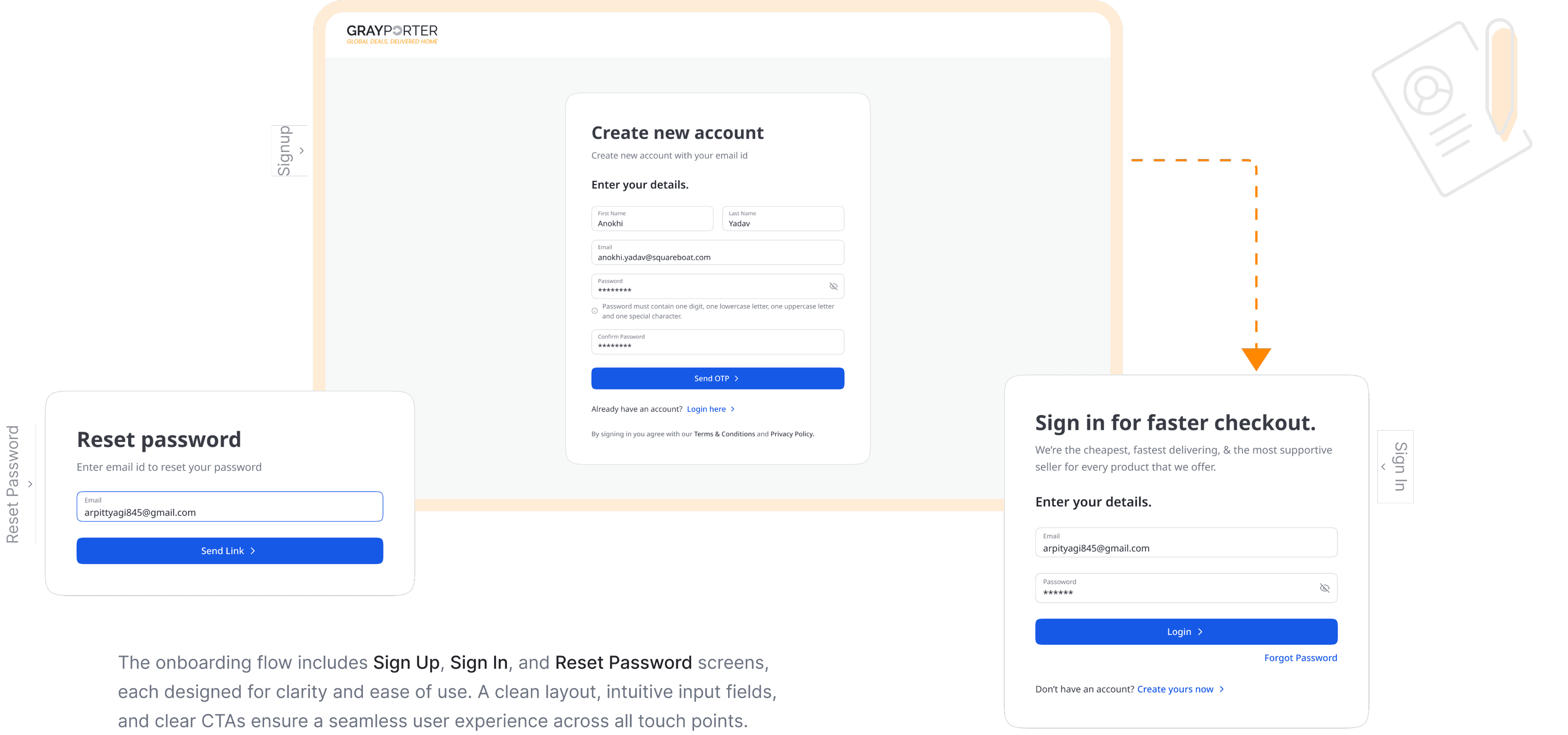
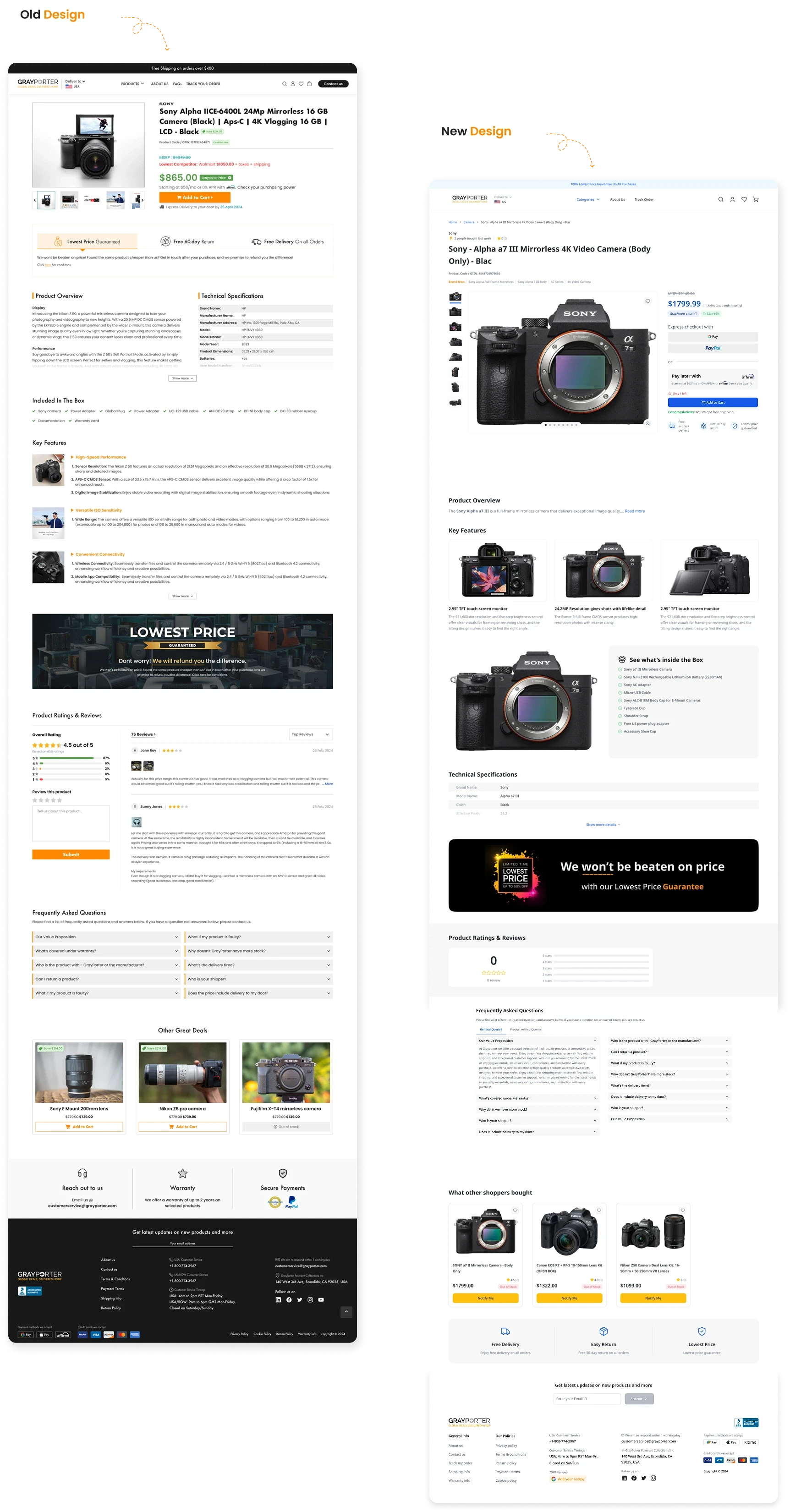
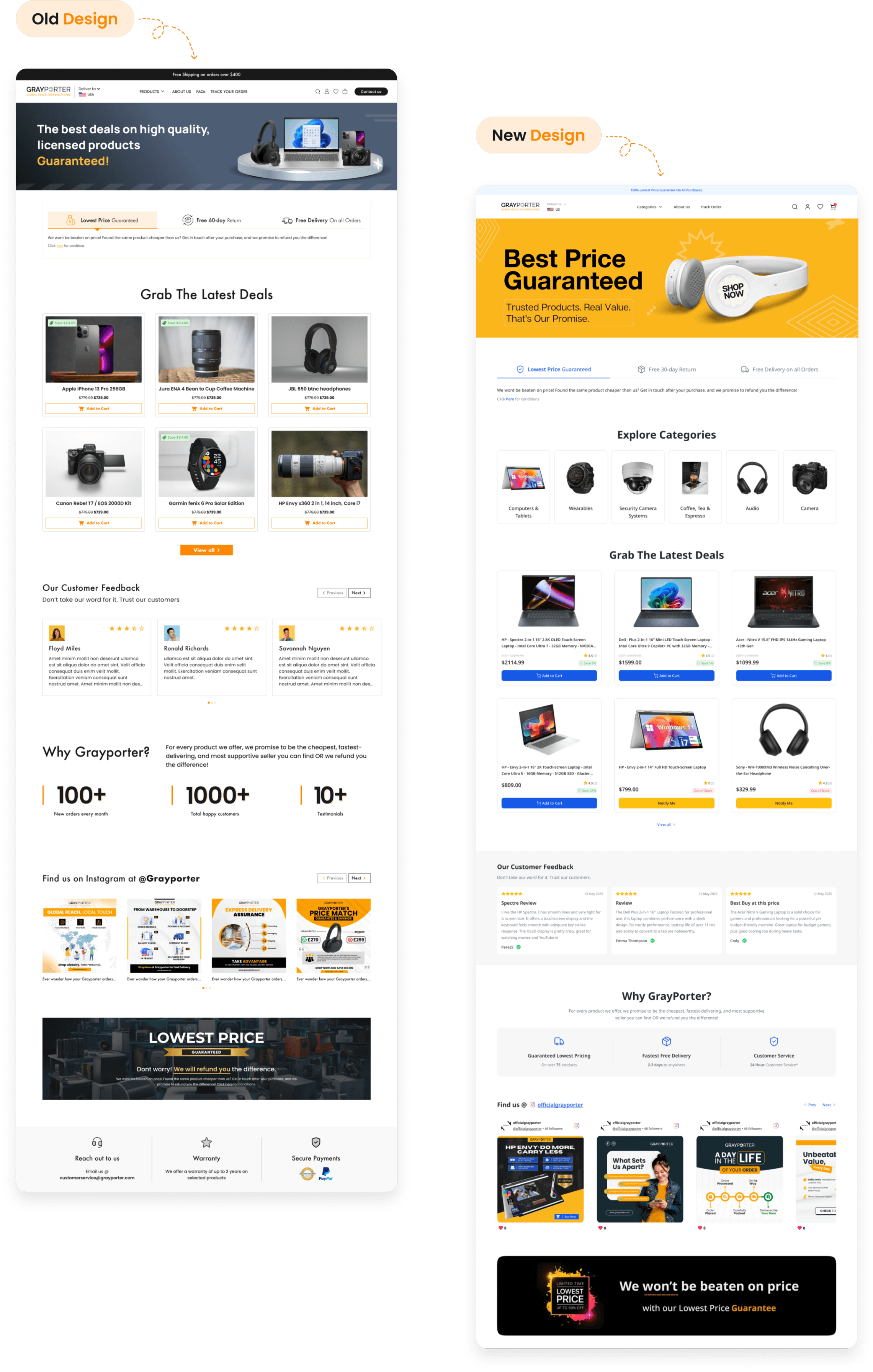
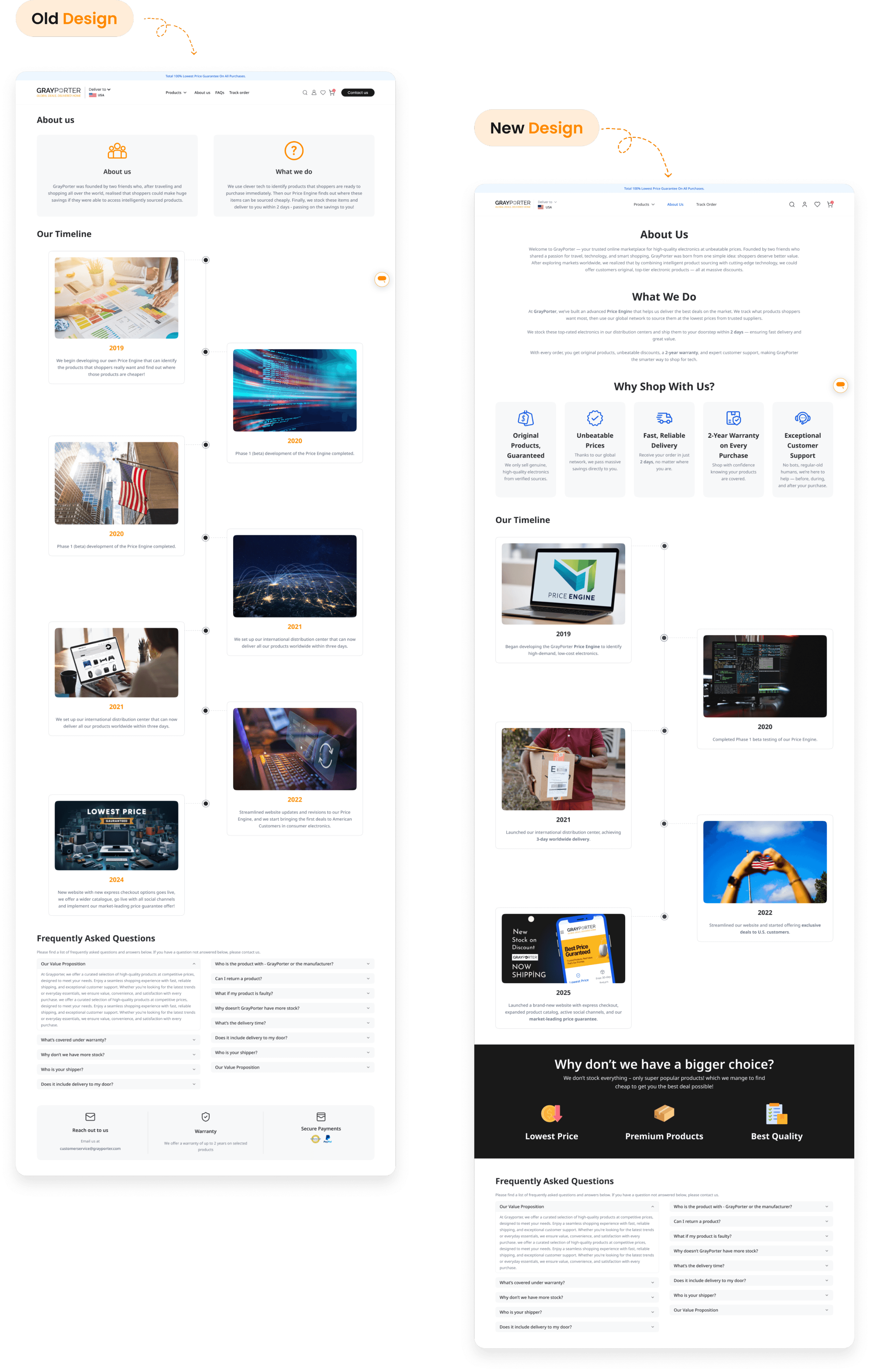
The redesigned UI screens offer a cleaner layout, improved usability, and modern aesthetics compared to the outdated interface, which lacked visual hierarchy and consistency. By comparing old and new screens side-by-side, we highlighted significant enhancements in navigation, clarity, and overall user engagement driven by the redesign.
Noto Sans
Aa Bb Cc Dd Ee Ff Gg Hh Ii Jj Kk Ll Mm Nn Oo Pp Qq Rr Ss Tt Uu Vv Ww Xx Yy Zz
0123456789
Regular
Semibold
Bold
UI Design
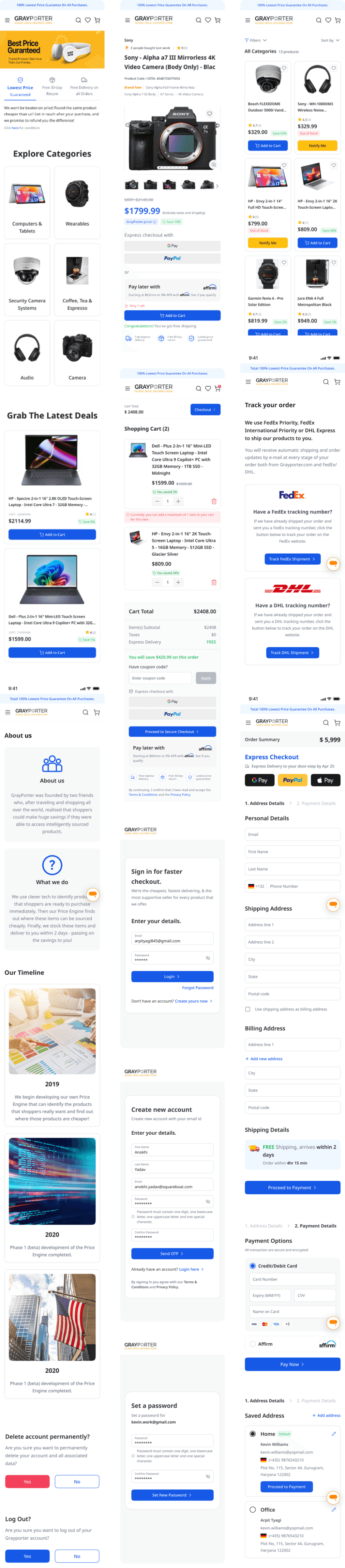
The redesigned UI screens offer a cleaner layout, improved usability, and modern aesthetics compared to the outdated interface, which lacked visual hierarchy and consistency. By comparing old and new screens side-by-side, we highlighted significant enhancements in navigation, clarity, and overall user engagement driven by the redesign.



Home page Revamp
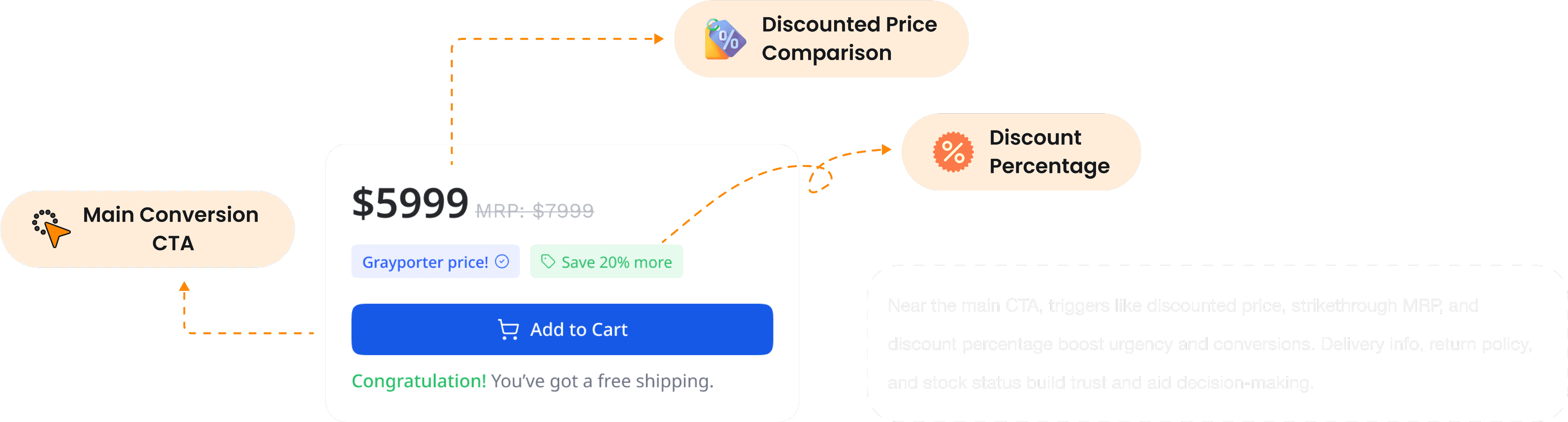
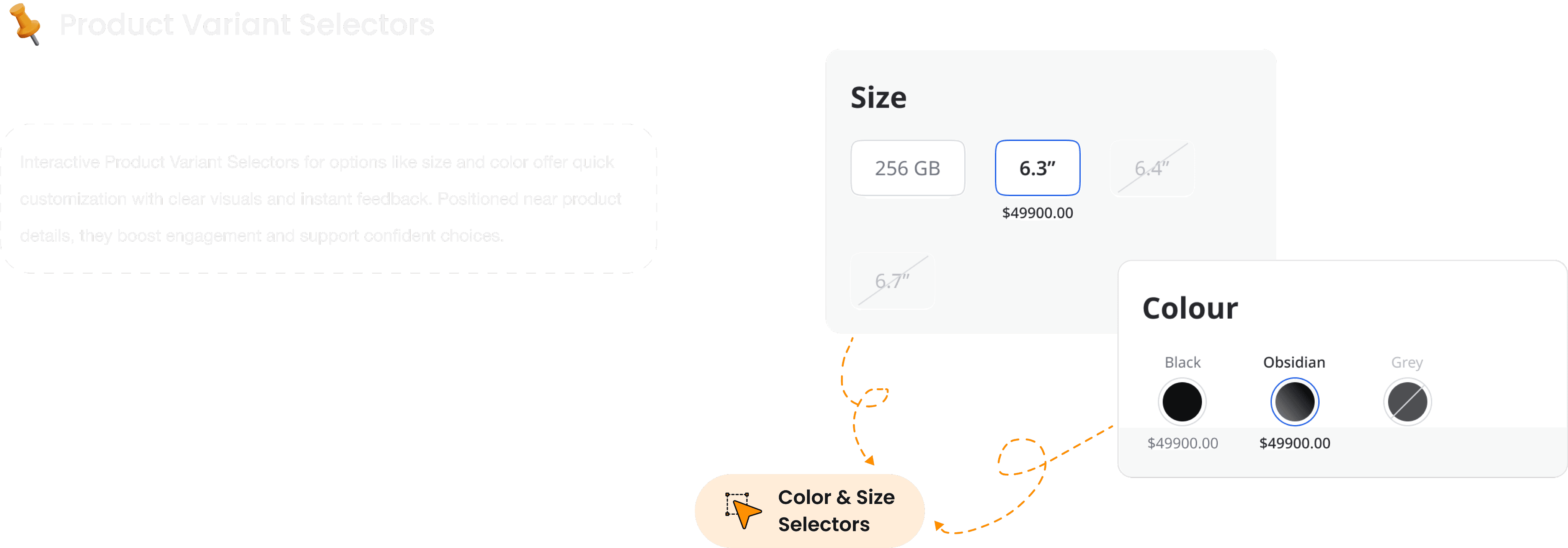
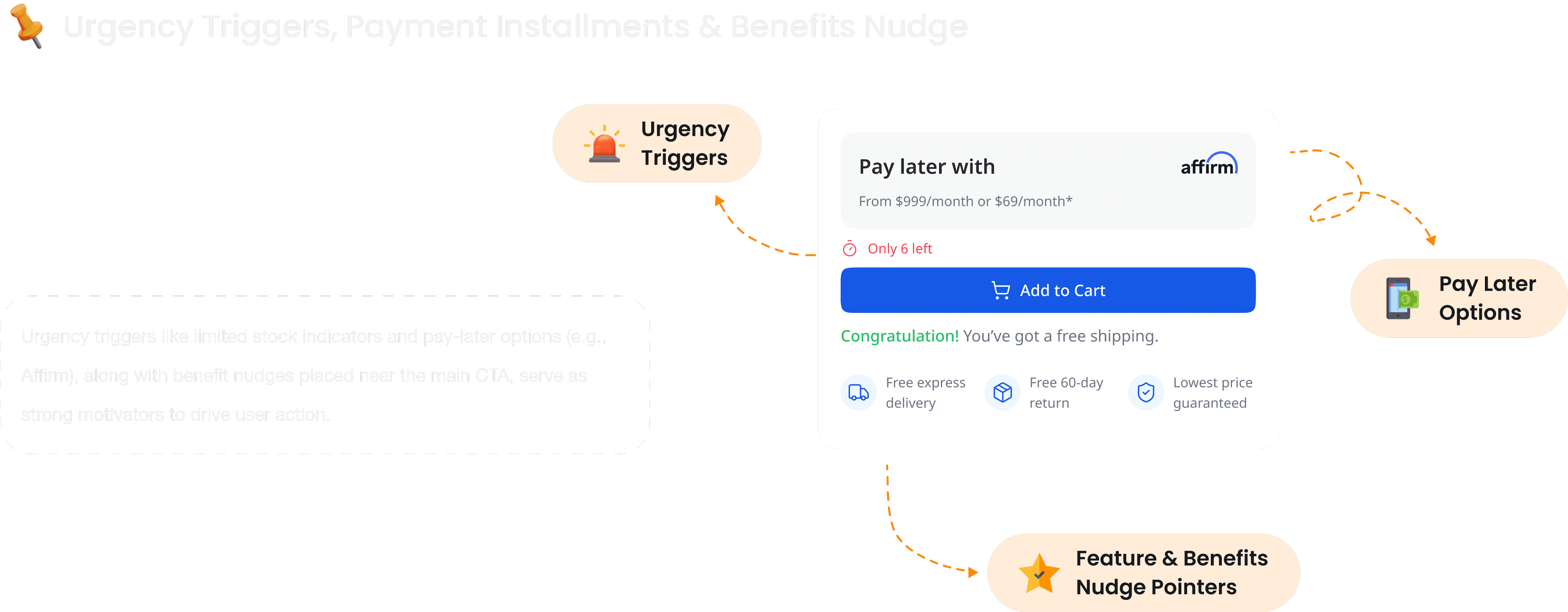
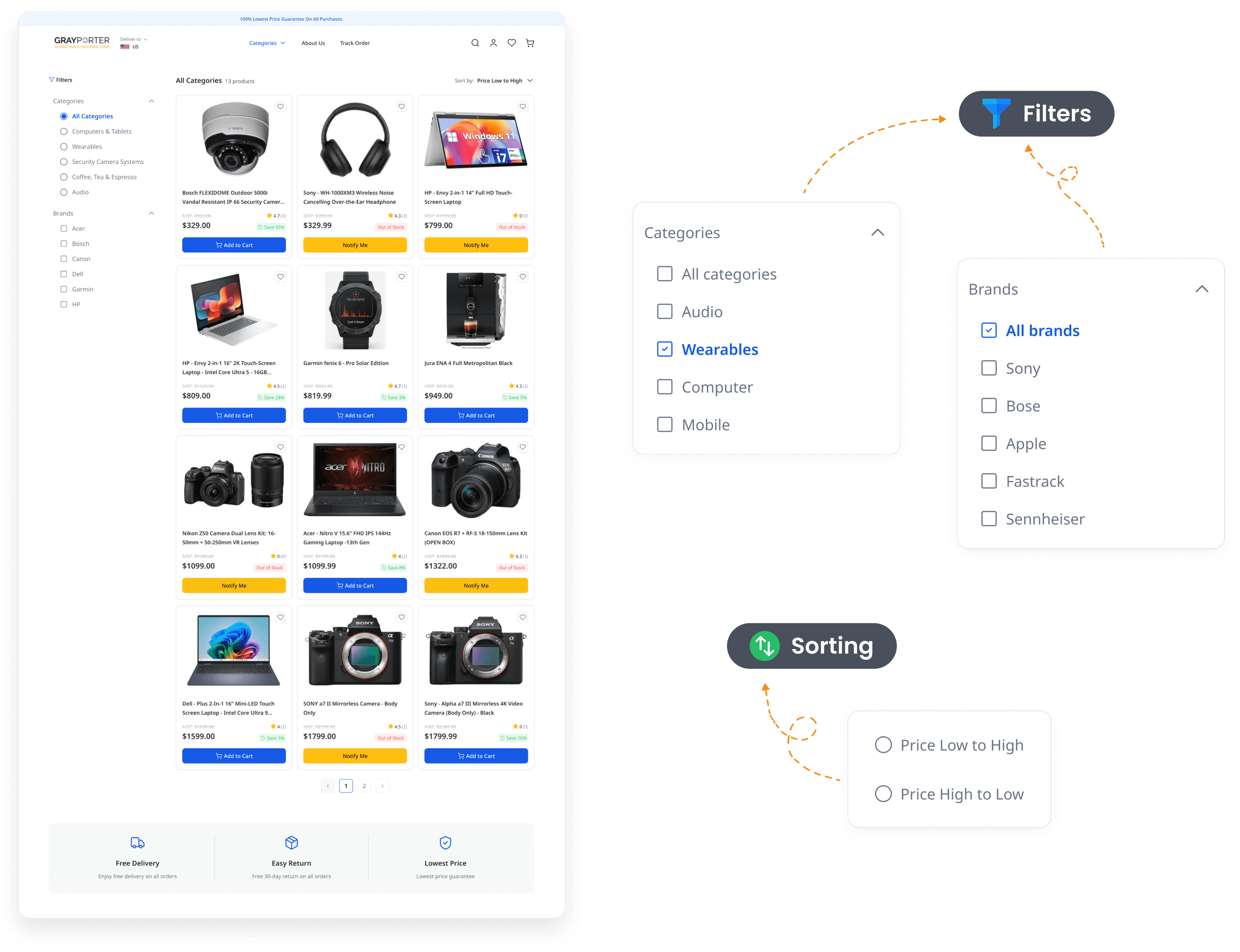
The Product Detail page presents key info like images, price, and reviews in a clean layout. Clear CTAs like “Add to Cart” enhance user decision-making. Trust elements and smooth navigation support a seamless shopping experience.

Shopping Cart Page
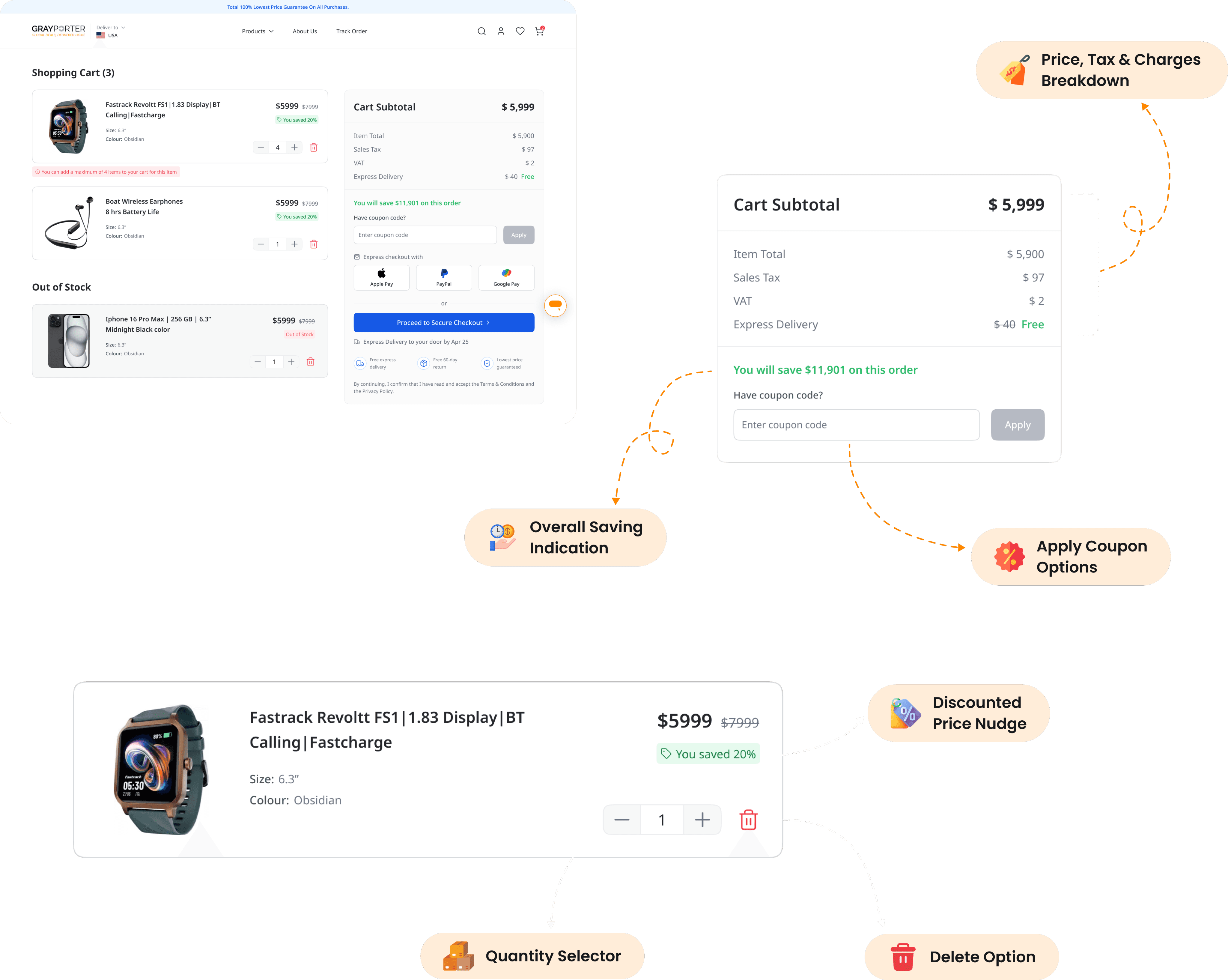
The Shopping Cart page offers a quick overview of selected items with editable quantities and clear pricing. It’s designed for easy updates and a seamless transition to the checkout process.
Checkout Flow
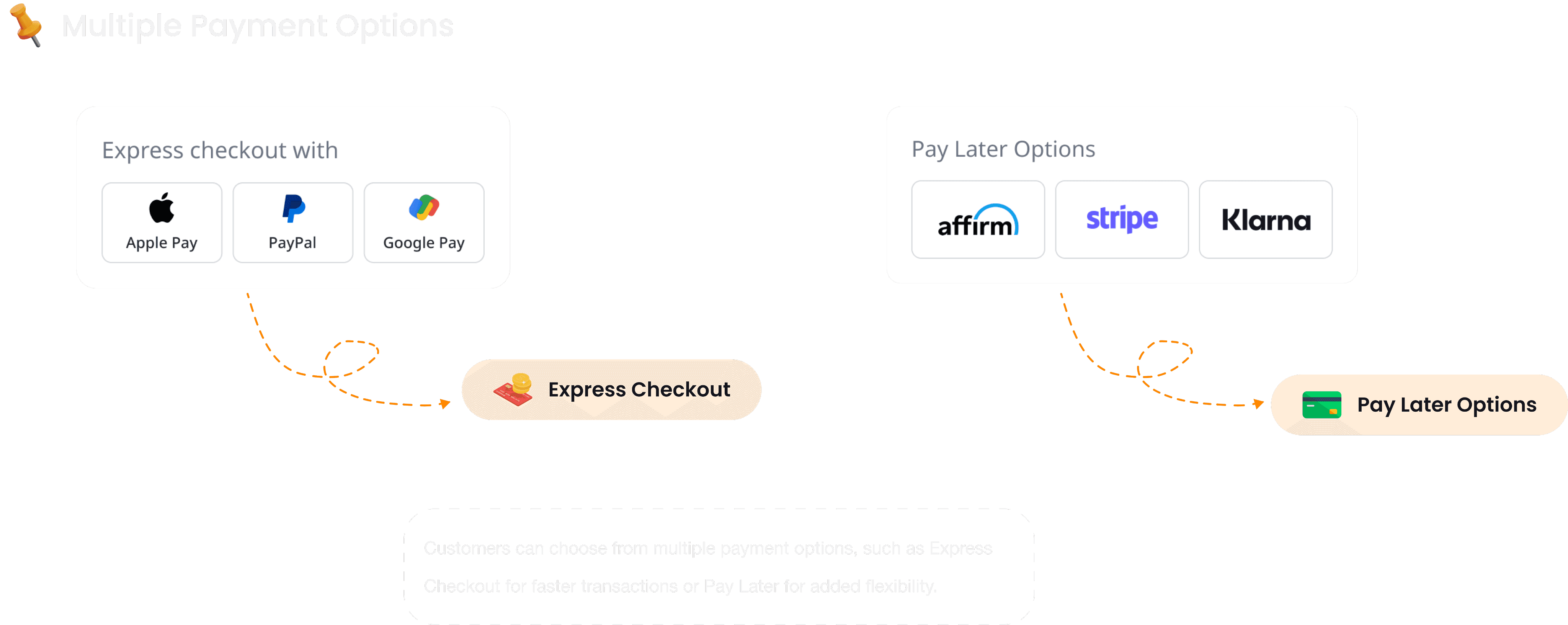
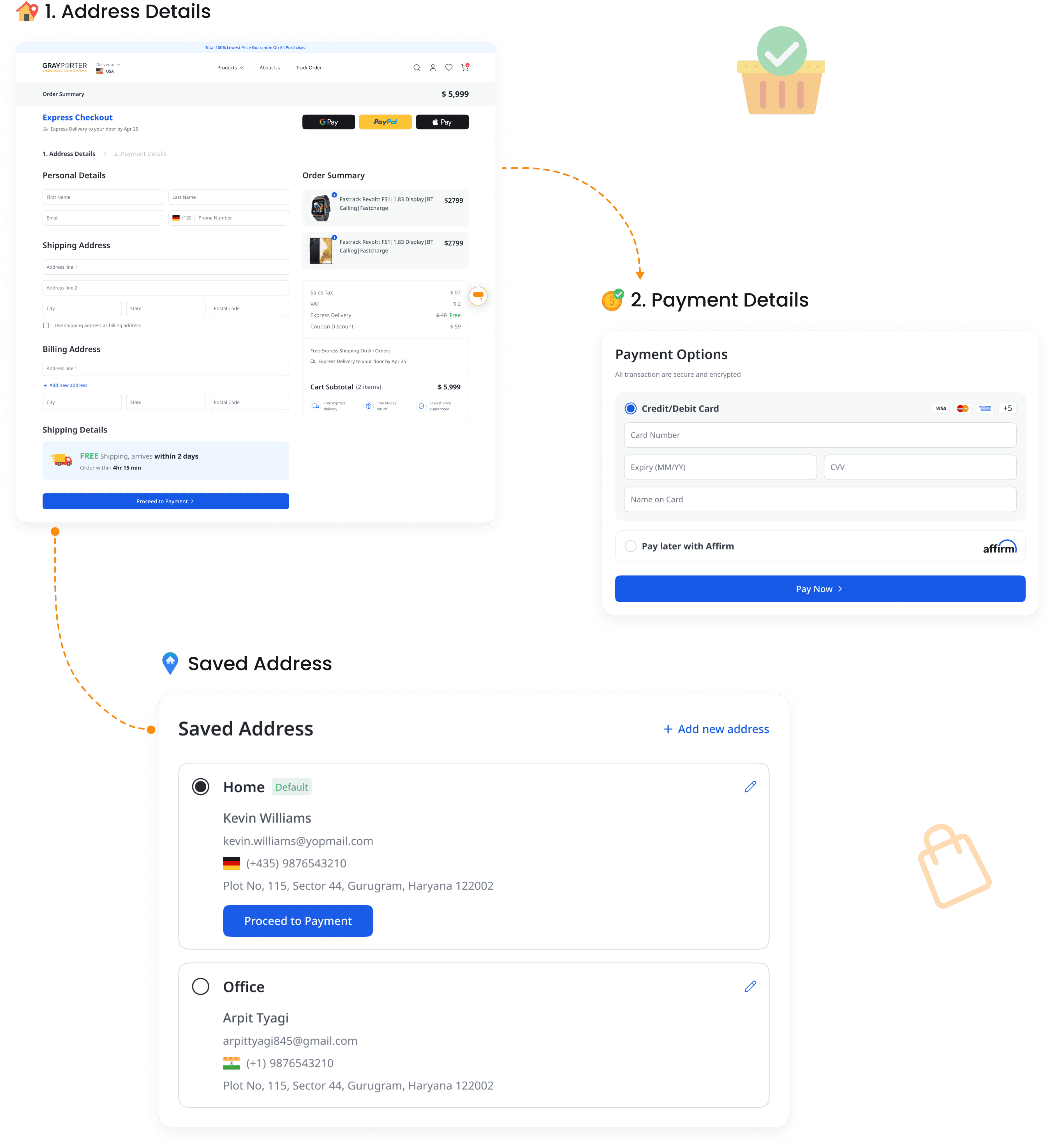
The Checkout Page is designed for a smooth and secure purchase experience. It includes address details, saved addresses for quick selection, and adding payment details.
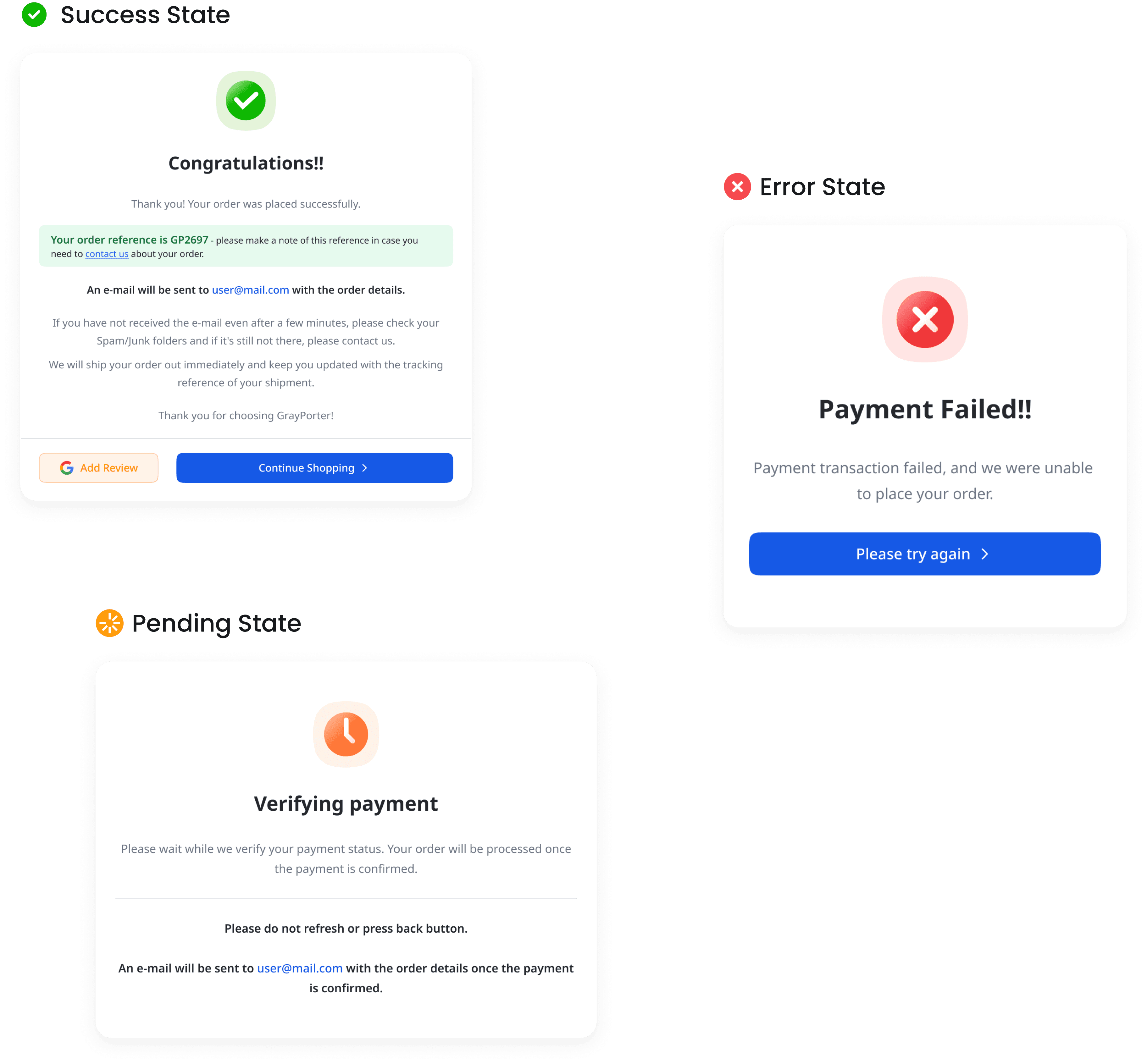
Clear error and success states ensure users are informed at every step. After order confirmation, a detailed success screen displays order summary reinforcing trust and giving users confidence their purchase was successful.

Admin Panel Flow
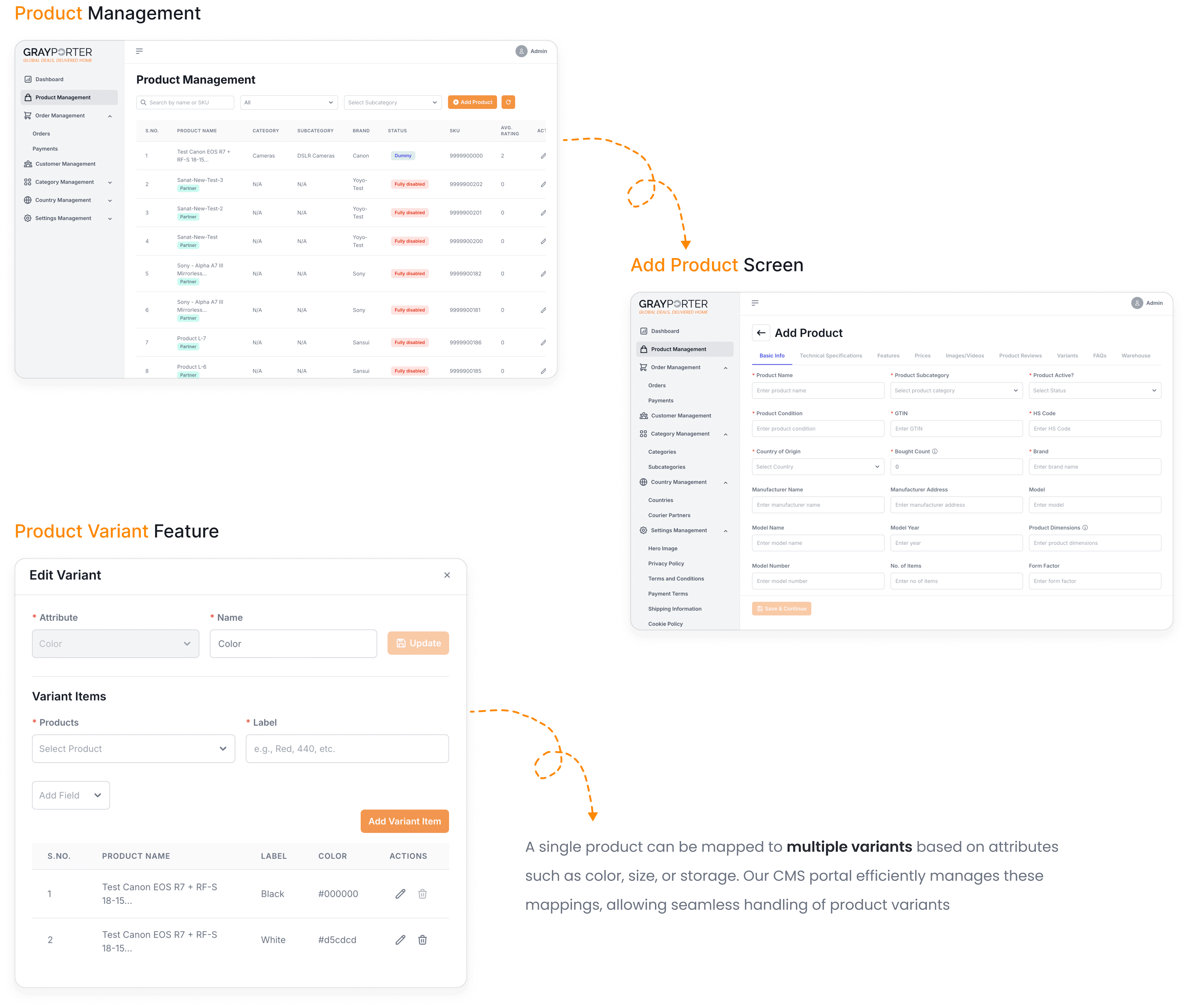
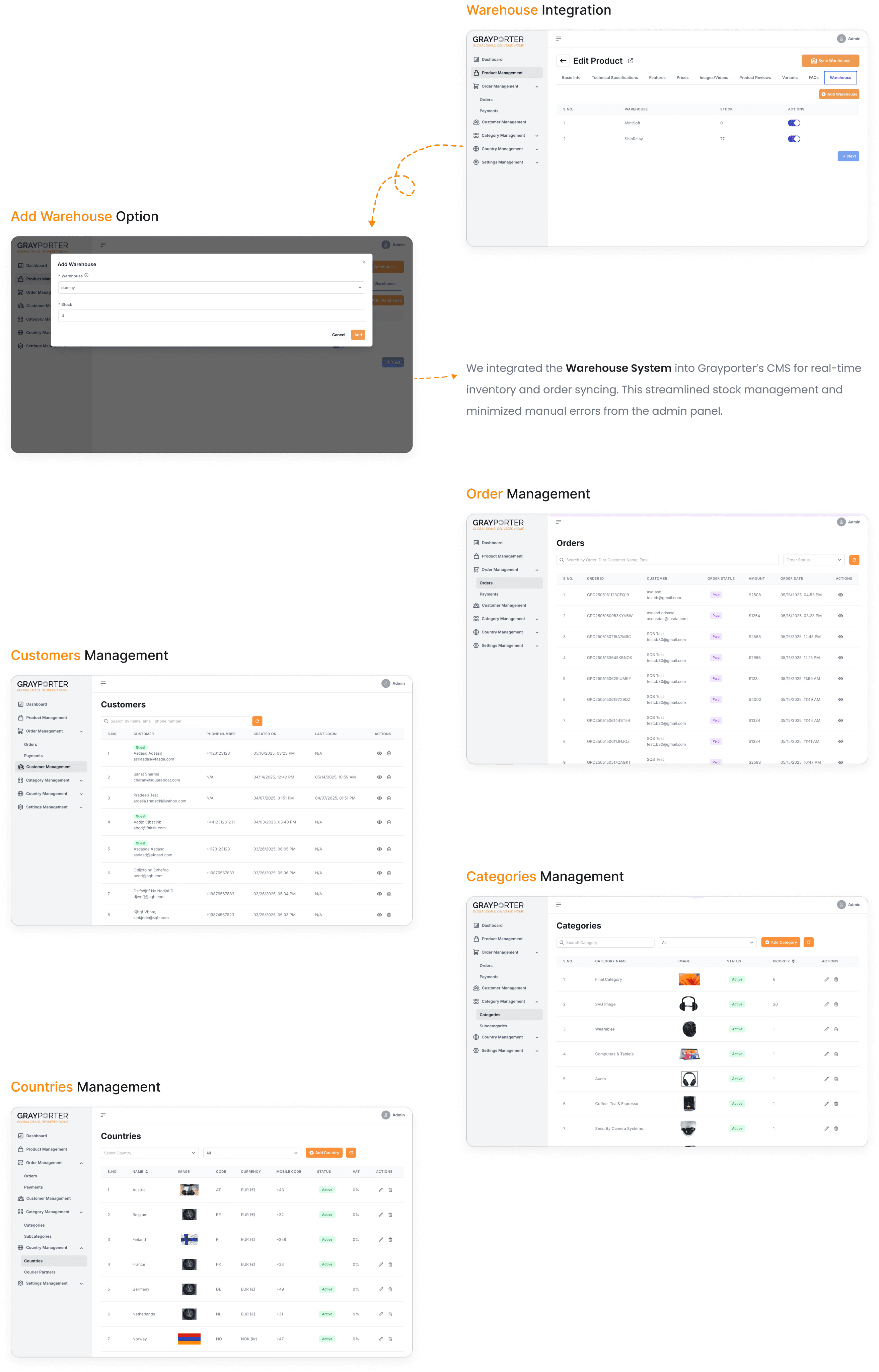
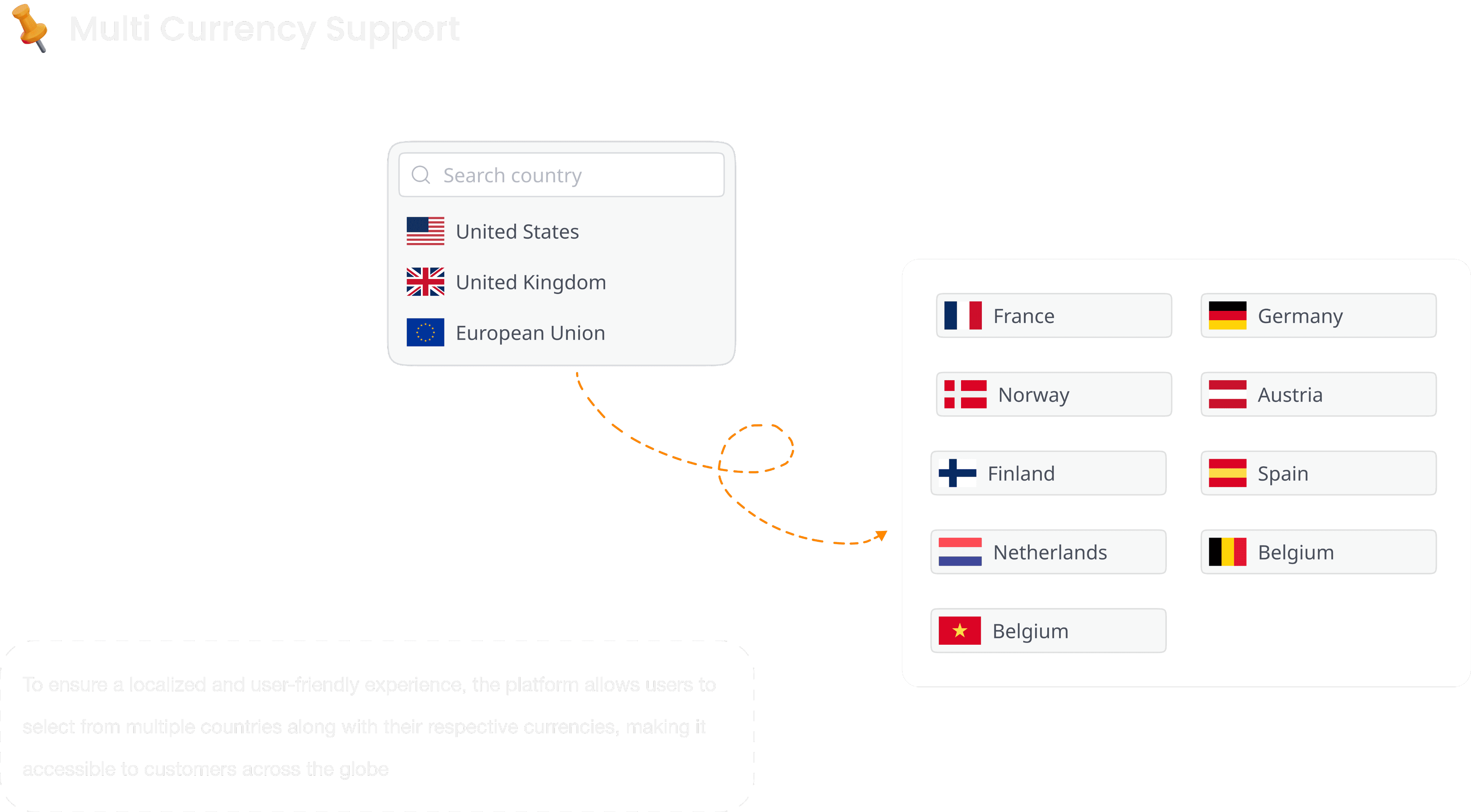
The Admin Panel flow includes dedicated screens for Product, Order, and Customer management. Admins can add new products with detailed fields and edit existing listings. Category and Country Management options allow easy organization and regional customization. The interface supports efficient modifications, ensuring smooth backend operations.